You are deep in a ranked match when your screen freezes, causing you to miss the winning shot. This frustrating lag often stems from network congestion rather than slow internet speeds. A gaming router solves this by prioritizing your game data over other household traffic like streaming or downloads.
This guide explains exactly how does a gaming router work to reduce latency and stabilize connections. You will learn about the advanced hardware, traffic prioritization systems, and wireless technologies that separate these devices from standard models. We will also cover when an upgrade is necessary for your specific setup.
Essential Network Functions Performed by Gaming Routers
Every router manages basic network traffic, but gaming models execute these tasks with higher efficiency. They ensure your device communicates with the game server without unnecessary delays or address conflicts.
DHCP Assignment for Device Identification
The router uses Dynamic Host Configuration Protocol (DHCP) to assign a unique IP address to every connected device. This process prevents conflicts between your console, phone, and PC. Gaming routers often allow manual IP reservation to keep your gaming device address constant for reliable rules.
NAT Translation for Multi-Device Sharing
Network Address Translation (NAT) lets multiple devices share one public IP address from your ISP. The router tracks outgoing requests and routes incoming data back to the correct device. Gaming models handle this translation faster to reduce the milliseconds added during data exchange.
Signal Conversion for Wireless Transmission
Your router converts the wired signal from your modem into wireless radio waves on 2.4 GHz, 5 GHz, or 6 GHz bands. Gaming units use superior internal components to perform this conversion with minimal interference. This ensures real-time game data travels quickly without corruption or loss.
Advanced Hardware Architecture Inside Gaming Routers

Superior performance starts with hardware built to handle heavy data loads without slowing down. Standard consumer routers often lack the processing power required for complex gaming environments.
High-Speed Processors and Expanded RAM
Standard routers typically use modest CPUs with 128MB to 256MB of RAM for basic tasks. Gaming routers feature multi-core processors and 512MB to 2GB of RAM to manage complex algorithms. This extra power allows instant processing of game packets even when other devices download large files.
Gigabit Ethernet Ports for Wired Connections
Most gaming routers include multiple Gigabit Ethernet ports capable of 1 Gbps speeds. These ports allow you to connect PCs or consoles directly to bypass Wi-Fi congestion entirely. High-end models now offer 2.5 Gbps or 10 Gbps ports to support multi-gigabit internet plans.
Beamforming Antenna Technology
These devices feature high-gain external antennas that support beamforming technology. Instead of broadcasting signals in all directions, the router focuses Wi-Fi directly toward your device. This results in stronger signals and fewer dropouts in your specific gaming area.
Traffic Prioritization with Quality of Service
Intelligent traffic control is the primary reason gamers upgrade their networking equipment. Quality of Service (QoS) ensures your game data never waits in line behind less critical traffic.
How QoS Identifies Gaming Packets
QoS analyzes data flowing through your network to identify packets from games or voice apps. Once detected, the system assigns these packets higher priority status over video streams or backups. This queuing system drastically reduces the time your game data waits to be transmitted.
AI-Powered Game Acceleration Features
Modern routers like the TP-Link Archer GX90 use AI-driven Game Accelerators. These systems automatically detect gaming traffic without requiring you to enter IP addresses manually. Real-time optimization reduces both latency and jitter to prevent stuttering during play.
Manual and Automatic Priority Rules
You can choose between automatic AI detection or manual priority settings. Manual mode allows you to specify exactly which device or application gets top billing. This control is vital for competitive players who need absolute consistency in shared households.
Band Management and Wi-Fi Optimization Strategies
Gaming routers avoid congestion by managing wireless bands more effectively than standard dual-band units. Isolating traffic ensures your game has a clear path to the internet.
Tri-Band and Quad-Band Advantages
While standard routers offer two bands, gaming models often add a third or fourth band. One band remains dedicated solely to gaming while others handle general household usage. The TP-Link Archer GX90 includes a dedicated 4.8 Gbps band to ensure zero competition for bandwidth.
Wi-Fi 6 and Wi-Fi 7 Performance Standards
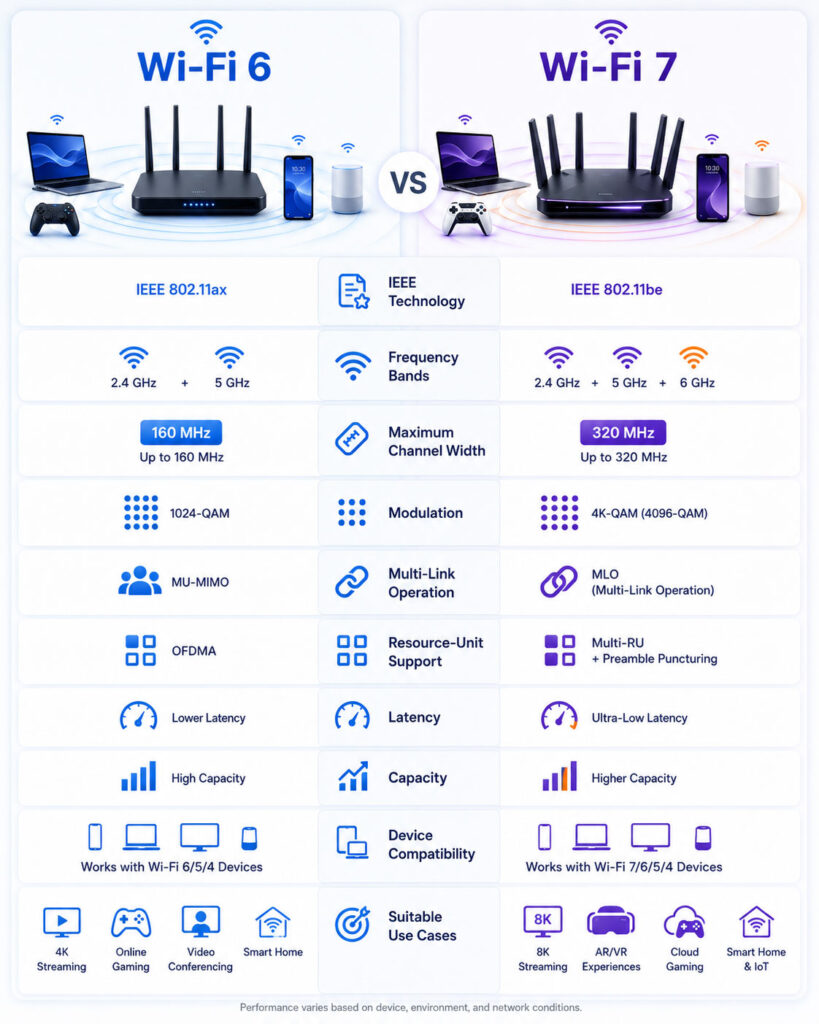
Newer standards like Wi-Fi 6 improve efficiency and handle multiple devices better than older versions. Wi-Fi 7 takes this further with quad-band operation and Multi-Link Operation capabilities. The ASUS GT-BE98 Pro utilizes Wi-Fi 7 to achieve real-world speeds exceeding 30 Gbps.
MU-MIMO for Multi-Device Stability
Multi-User Multiple-Input Multiple-Output (MU-MIMO) allows simultaneous communication with multiple devices. This technology prevents bottlenecks when several users are online at once. It keeps connections stable for gamers even when others stream 4K content nearby.
Enhanced Security Protections for Online Gamers
Online gaming exposes your network to specific risks that require robust defensive measures. Gaming routers include built-in tools to keep your connection safe and uninterrupted.
Built-In DDoS Attack Protection
Distributed Denial of Service attacks flood your network with fake traffic to disconnect you. Gaming routers detect and block these attacks automatically to maintain your connection. This feature is crucial for competitive players who cannot afford unexpected disconnections.
Firewall and Malware Scanning Tools
Advanced firewalls filter out malicious incoming traffic before it reaches your devices. Many models also include real-time malware scanning to protect against threats. These tools prevent infections that could slow down your system or compromise personal data.
Native VPN Support Options
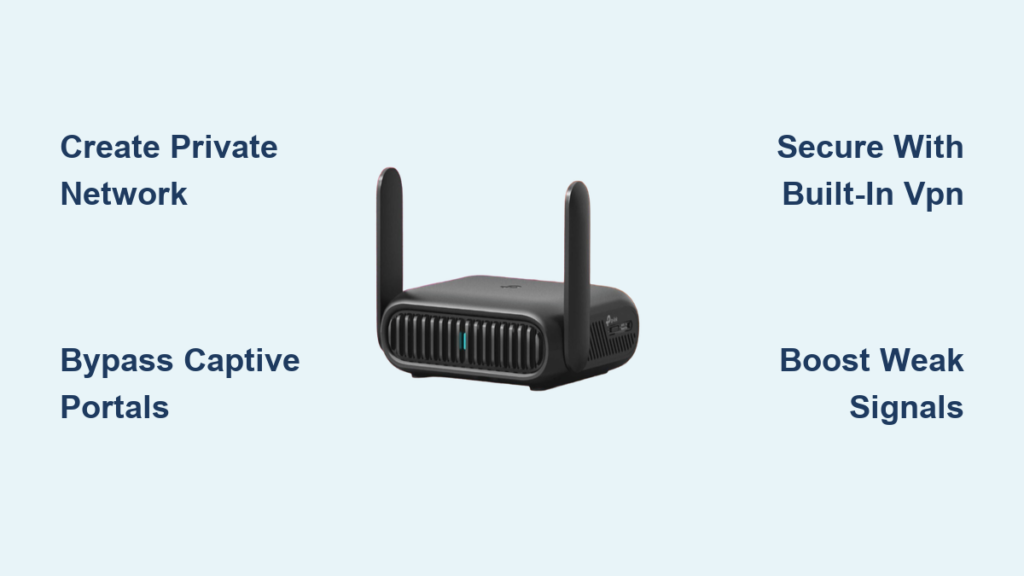
Some models offer built-in VPN client or server support for added privacy. You can encrypt traffic, access region-locked servers, or connect securely from remote locations. This adds a layer of control often absent in standard consumer routers.
Wired Versus Wireless Connectivity Performance
The benefit you gain from a gaming router depends heavily on your connection method. Understanding this difference helps set realistic expectations for performance gains.
Ethernet as the Gold Standard
Wired Ethernet connections offer the lowest latency and zero packet loss. A cable bypasses wireless interference entirely to deliver maximum stability. If you use Ethernet, the router QoS still helps prioritize traffic across the wider network.
Wi-Fi Optimization for Wireless Gamers
Wireless gamers see the most dramatic improvements from upgraded hardware. Features like beamforming and dedicated bands provide lower latency than standard Wi-Fi. This setup offers consistent performance even when you cannot run a cable to your console.
Setup and Configuration Guide for Gamers
Proper configuration ensures you get the most out of your new hardware investment. Follow these steps to optimize your network for gaming immediately.
Initial Connection Steps
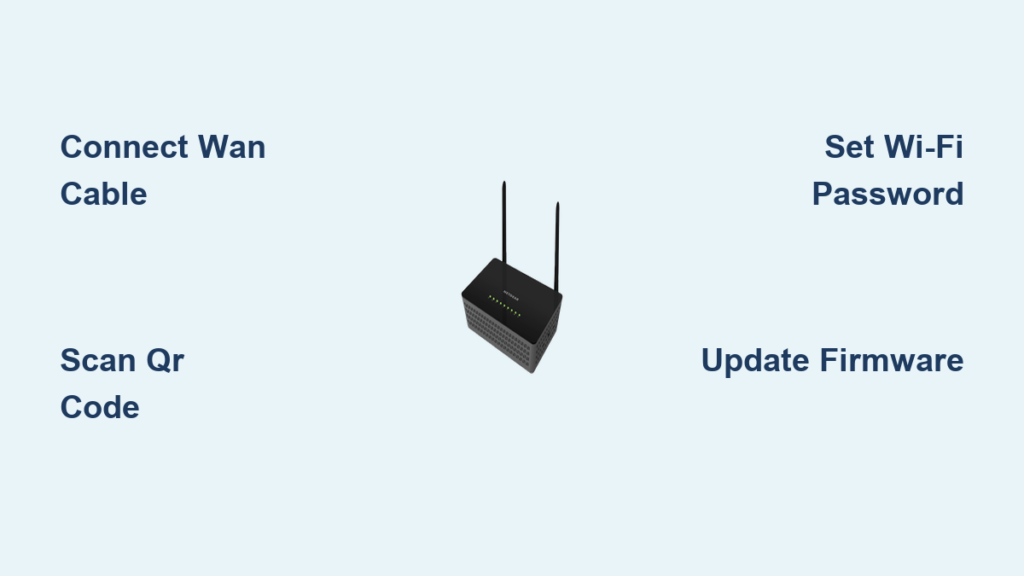
- Connect your modem to the router WAN port using an Ethernet cable.
- Power on both devices and wait for the connection to establish.
- Access the admin interface via a web browser using the provided URL.
- Change default login credentials immediately to prevent unauthorized access.
Enable Gaming Features
Log into the interface and turn on QoS or Game Accelerator features. Assign your gaming device as a priority client within the settings menu. Create a dedicated gaming SSID if your model supports separate network names. Update the firmware immediately to ensure you have the latest fixes.
Bridge Mode with ISP Modem
Enable Bridge Mode on ISP modem-router combos to avoid double-NAT issues. Log into the ISP device to disable its Wi-Fi and routing functions. This lets your gaming router handle all network management and traffic shaping.
When You Need and Do Not Need a Gaming Router
Not every gamer requires a high-end router to improve their experience. Evaluating your specific situation helps determine if an upgrade is worth the cost.
Ideal Use Cases for Upgrades
You will benefit most if multiple devices are active simultaneously in your home. Wireless gamers and those playing competitive online titles see measurable improvements. Households needing better security and traffic control also find great value here.
Limited Benefit Scenarios
A gaming router may not help if you use Ethernet with only one device. It cannot fix slow internet speeds provided by your ISP. If the router is too far away with thick walls in between, consider Powerline adapters instead.
Top Models by Performance Tier

Different budgets and needs require different solutions. Here are top performers across various categories based on current market data.
Budget Pick: ASUS RT-AX58U
This model costs under $100 and offers Wi-Fi 6 dual-band performance. It provides up to 3,000 Mbps on the 5 GHz band with basic QoS. It is best for small homes and casual gamers who need reliable performance.
Mid-Range Choice: TP-Link Archer GX90
This tri-band Wi-Fi 6 router features a dedicated 4.8 Gbps gaming band. Its AI-powered Game Accelerator automatically optimizes traffic without manual setup. Families and serious gamers will appreciate the balance of price and performance.
High-End Option: ASUS GT-BE98 Pro
This Wi-Fi 7 quad-band router delivers real-world speeds over 30 Gbps. It includes Game Boost technology with Multi-Link Operation for ultimate optimization. Enthusiasts and those seeking future-proof technology should consider this premium option.
Maintenance and Long-Term Use Practices
Regular maintenance ensures your router continues performing at its peak potential. Neglecting these tasks can lead to slower speeds and security vulnerabilities over time.
Regular Firmware Updates
Manufacturers release updates to fix security flaws and improve QoS algorithms. Check for updates every few months or enable automatic updates if supported. These updates often include stability improvements that reduce lag.
Parental Controls and Usage Limits
Use built-in tools to block distracting websites during gaming hours. You can limit screen time for other users or schedule internet access windows. This helps maintain network focus when you are in the middle of a match.
Optimize Placement and Environment
Place your router centrally and elevated away from metal objects. Avoid interference sources like microwaves or cordless phones near the device. Keep firmware and drivers updated on all connected devices for best results.
Frequently Asked Questions About Gaming Routers
Does a gaming router increase my internet speed?
No, a gaming router cannot increase the base speed provided by your ISP. It optimizes how your existing bandwidth is distributed to reduce latency and prevent lag spikes.
Can a gaming router reduce ping and latency?
Yes, by using QoS to prioritize gaming packets, these routers reduce the time data waits in queues. This directly lowers ping and minimizes jitter for smoother gameplay.
Do I need a gaming router if I use Ethernet?
While less critical than for wireless users, Ethernet users still benefit from QoS features. The router ensures your wired traffic takes priority over other wireless devices on the network.
What is the difference between Wi-Fi 6 and Wi-Fi 7 routers?
Wi-Fi 7 offers quad-band support, wider channels, and Multi-Link Operation for faster speeds. Wi-Fi 6 provides excellent efficiency and multi-device handling at a more accessible price point.
How do I stop DDoS attacks while gaming?
Gaming routers include built-in DDoS protection that detects and blocks flood attacks automatically. This keeps your connection stable even when malicious traffic targets your network.
Key Takeaways for How a Gaming Router Works
A gaming router combines high-end hardware, smart traffic prioritization, and advanced wireless tech to optimize your connection. It does not increase your internet speed but ensures game data gets through first to reduce lag. This makes it essential for multi-device homes and competitive wireless gamers.
Upgrade your network if you struggle with lag during peak usage times or play competitively. Start by checking your current router settings and enabling QoS features today. If problems persist, consider investing in a model with dedicated gaming bands for the best results.