You stream a movie in the bedroom while your kid attends a Zoom class in the basement, yet every device maintains a strong signal. This stability happens because you understand how does a mesh router work to replace weak single-point signals.
This guide explains how interconnected nodes create one unified network that adapts to your home layout. You will learn about intelligent routing, seamless roaming, and the critical role of backhaul in delivering consistent speeds everywhere.
Core Architecture of a Mesh Router System

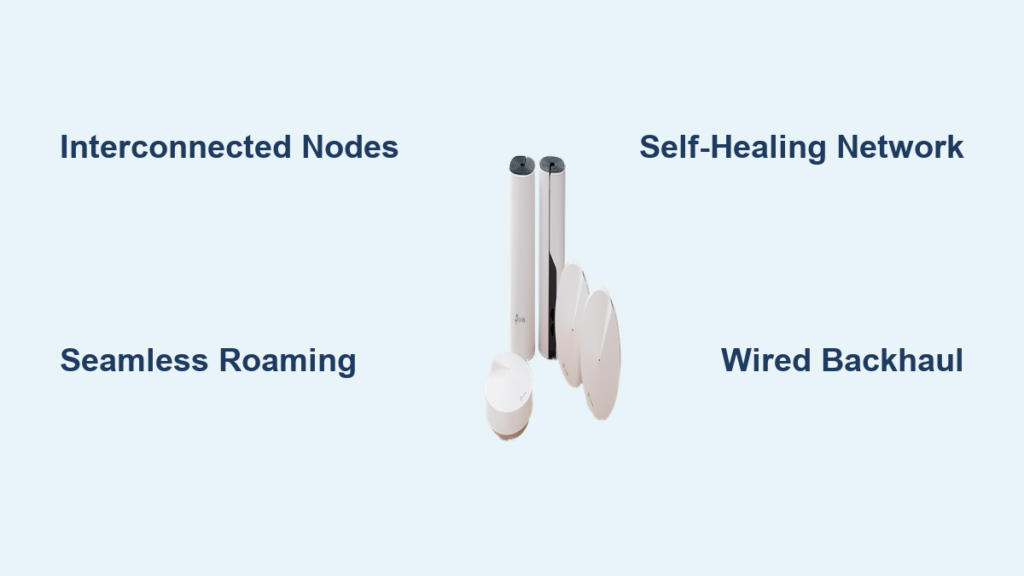
A mesh router system replaces the traditional single broadcast point with multiple hardware units called nodes. These devices collaborate to form a single logical network that blankets your entire home in reliable coverage.
Defining the Gateway and Satellite Nodes
The system relies on a primary unit known as the Mesh Gateway. This device connects directly to your internet modem via an Ethernet cable and acts as the entry point for all data traffic.
Satellite nodes are placed throughout your property to extend this signal. They receive data from the gateway or other nodes and rebroadcast it, ensuring strong connectivity even behind thick walls or on upper floors.
How Distributed Coverage Eliminates Dead Zones
Traditional routers struggle to push signals through concrete, brick, or multiple floors. A mesh system solves this by placing signal sources closer to where you actually use your devices.
Instead of one fading bubble of Wi-Fi, you get a consistent blanket of coverage. This distributed approach ensures that speed remains high in the attic just as it is in the living room.
Seamless Roaming and Automatic Handoff Mechanics
Moving through your home should not interrupt your digital life. Mesh technology ensures your connection stays stable as you walk from room to room without manual intervention.
Understanding Seamless Roaming Technology
Seamless roaming allows your phone or laptop to switch automatically between nodes. As you move, the system constantly monitors signal strength and guides your device to the nearest, strongest node.
This handoff happens instantly without dropping your video call or buffering your stream. You never need to manually disconnect from one network name and reconnect to another.
The Role of 802.11k/v/r Protocols
This magic relies on specific Wi-Fi standards known as 802.11k, 802.11v, and 802.11r. These protocols enable fast and secure communication between your device and the network nodes.
- 802.11k helps devices find the best available node quickly.
- 802.11v allows the network to suggest better connection points to your device.
- 802.11r speeds up the authentication process during handoffs.
Self-Healing Networks and Adaptive Routing
Reliability is a key benefit when you ask how does a mesh router work during hardware failures. The network intelligence allows it to adapt to changes automatically.
Intelligent Traffic Optimization
The system continuously evaluates the health of connections between all nodes. If one path becomes congested or experiences interference, the network reroutes data through a clearer path.
For example, if a specific node fails, your devices will automatically switch to another available node. This self-healing capability ensures your internet stays on even if part of the system has issues.
Unified Network Identity Benefits
All nodes operate under a single network name (SSID) and password. Your devices see only one Wi-Fi network regardless of which node they are connected to.
This unified identity eliminates the confusion of managing multiple network names like “HomeWiFi” and “HomeWiFi_EXT.” Centralized control via a mobile app makes managing security and settings simple.
Network Topologies: Star vs. Daisy Chain
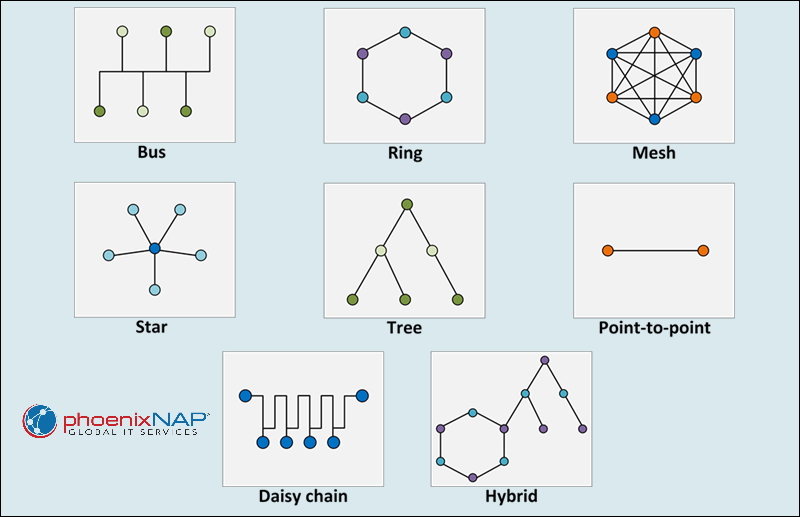
The physical arrangement of your nodes impacts performance. Understanding these topologies helps you place hardware for the best results.
Star Topology for Maximum Speed
In a Star topology, every satellite node connects directly to the main gateway. This setup minimizes the number of hops data must take to reach the internet.
- Data travels directly from the node to the gateway.
- Speed and stability remain high across all nodes.
- Failure of one node does not affect others.
This configuration is ideal when nodes are within 30 to 50 feet of the main router with few obstructions.
Daisy-Chain Topology Trade-offs
A Daisy-Chain setup occurs when nodes connect sequentially, such as Gateway to Node A, then Node A to Node B. This often happens in long or narrow homes where direct connection is impossible.
Each hop in the chain adds latency and reduces available bandwidth. If an intermediate node fails, all downstream nodes lose their connection. Use this method only when direct links are not feasible.
Backhaul Technologies Explained
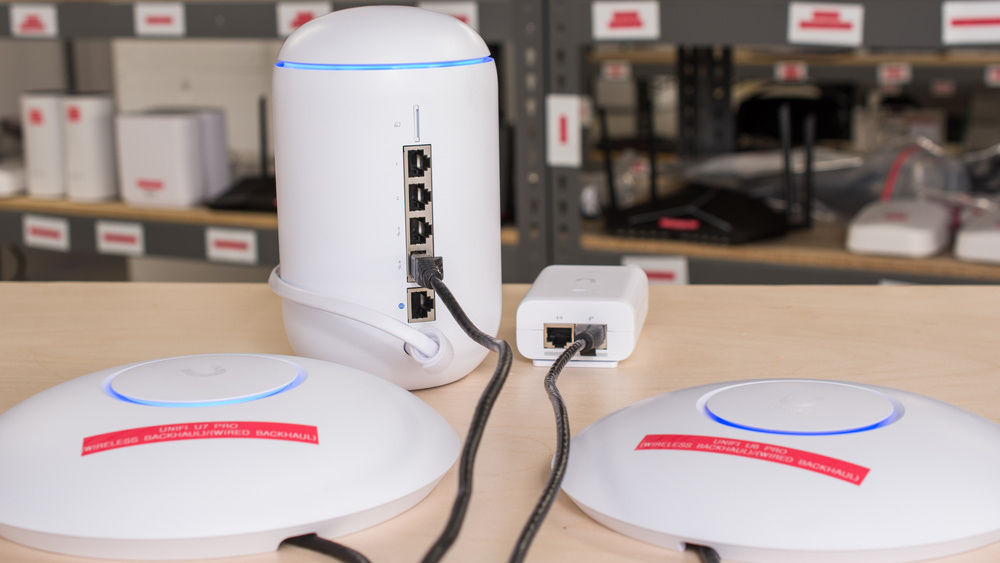
Backhaul is the hidden backbone of your network performance. It refers to the dedicated connection used for communication between nodes rather than between nodes and your devices.
Wireless Backhaul Limitations and Solutions
Wireless backhaul uses radio frequencies to communicate between nodes. On dual-band systems, the backhaul shares the same frequency as your devices, which can cut speeds by up to 50 percent.
Tri-band systems solve this by dedicating a full 5 GHz or 6 GHz band exclusively to backhaul traffic. This separation prevents congestion and maintains near-full speed across all nodes.
Wired Backhaul for Peak Performance
Connecting nodes via Ethernet cables creates a wired backhaul. This method eliminates wireless interference and bandwidth sharing entirely.
Wired backhaul is the gold standard for 4K streaming, gaming, and large file transfers. Even dual-band systems perform significantly better with wired connections between nodes.
Mesh Router vs. Traditional Wi-Fi Solutions
Consumers often wonder how does a mesh router work compared to their current setup. The differences in architecture lead to vastly different user experiences.
Comparison with Single Routers
Traditional routers broadcast from a central point, leading to weak signals in distant rooms. Mesh systems distribute the load, bringing strong signals to every corner of large or multi-story homes.
| Feature | Traditional Router | Mesh System |
|---|---|---|
| Coverage | Centralized, limited range | Distributed, whole-home |
| Dead Zones | Common in large spaces | Eliminated by design |
| Scalability | Fixed capacity | Expandable with nodes |
| Roaming | Manual reconnection needed | Automatic and seamless |
Comparison with Wi-Fi Extenders
Extenders simply rebroadcast an existing signal, often creating a second network name. They can halve your bandwidth because they must receive and transmit on the same channel.
Mesh nodes regenerate a strong signal and coordinate intelligently. They maintain a single network identity and use dedicated channels to preserve speed.
Installation and Node Placement Guide
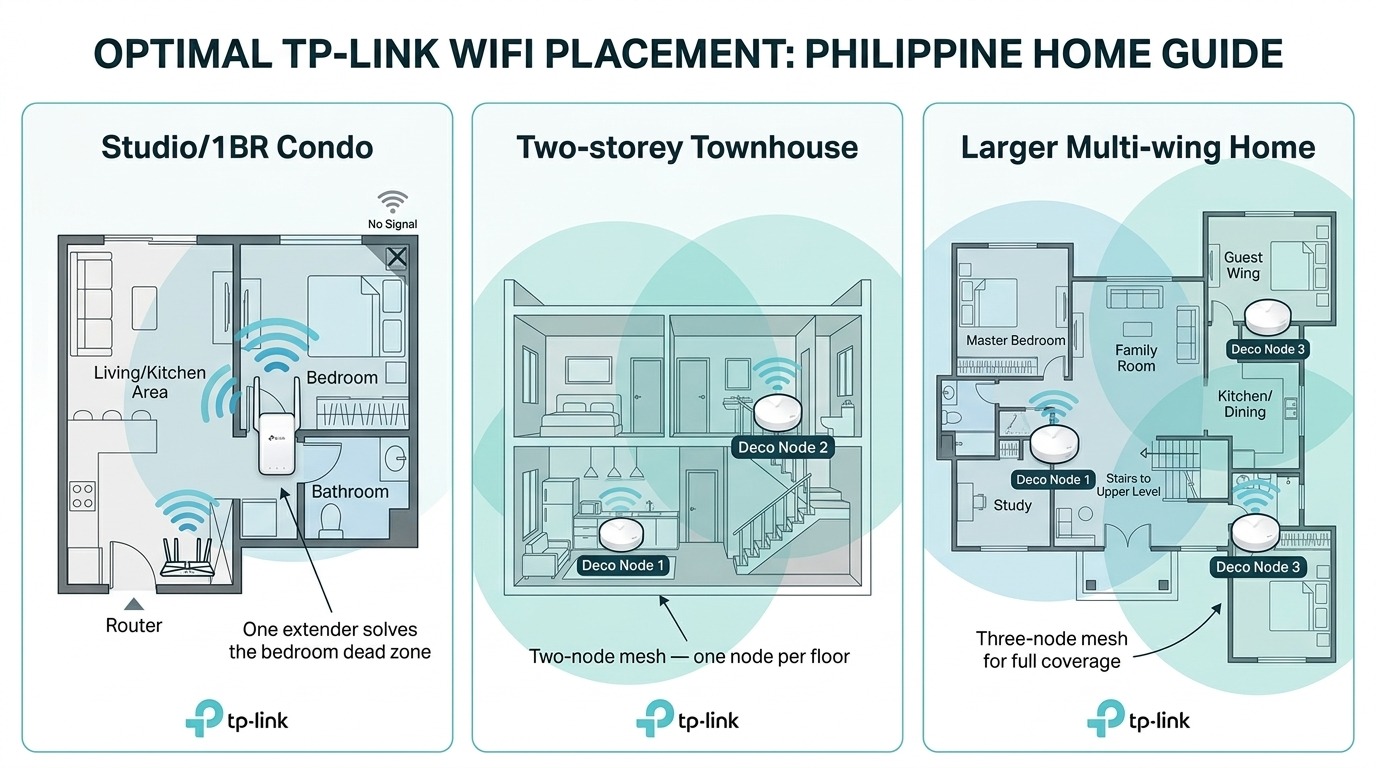
Setting up a mesh system is designed to be user-friendly. Most manufacturers use mobile apps to guide you through the entire process step by step.
Step-by-Step Setup Process
- Connect the gateway node to your modem using an Ethernet cable.
- Power on the gateway and download the manufacturer’s app.
- Follow the in-app prompts to name your network and set a password.
- Place satellite nodes in open areas where coverage is needed.
- Use the app to verify signal strength and adjust placement if necessary.
Best Practices for Node Placement
Proper placement ensures optimal performance. Keep nodes within 30 to 50 feet of each other for wireless backhaul.
- Place nodes at mid-height on shelves or tables.
- Avoid hiding nodes inside cabinets or behind metal objects.
- Keep nodes away from microwaves and cordless phones.
- Use LED indicators or app feedback to find the sweet spot.
Scalability and Hardware Considerations
Mesh networks grow with your needs. You can add more nodes to expand coverage, but there are limits to maintain efficiency.
Determining the Right Number of Nodes
Most systems support between 3 and 10 nodes depending on the brand. Adding too many nodes can increase network overhead and cause interference.
Your goal is to use the minimum number of nodes required for full coverage. Start with a small kit and add satellites only if dead zones persist.
Dual-Band vs. Tri-Band Systems
Dual-band routers operate on 2.4 GHz and 5 GHz frequencies. They are suitable for smaller homes or setups using wired backhaul.
Tri-band routers add an extra 5 GHz or 6 GHz band. This extra band is crucial for wireless backhaul in large homes to prevent speed loss.
Who Needs a Mesh Router System?
Not every home requires a mesh network. Understanding your specific environment helps determine if this technology is the right investment for you.
Ideal Candidates for Mesh Wi-Fi
- Homes larger than 2,000 square feet.
- Multi-story houses with thick floors or walls.
- Households with 20 or more connected devices.
- Users who experience frequent dropped calls while moving.
- Homes with concrete, brick, or plaster construction.
When a Traditional Router Suffices
Small apartments or studios under 1,000 square feet may not need a mesh system. A high-quality traditional router often provides sufficient coverage for single-floor, open-layout spaces.
Budget-conscious buyers in small spaces might prefer a powerful single router over a multi-node mesh kit.
Frequently Asked Questions About Mesh Routers
How does a mesh router work differently than an extender?
An extender rebroadcasts a signal often creating a separate network name and reducing speed. A mesh router creates a single unified network with seamless roaming and intelligent traffic management.
Do I need to replace my modem with a mesh system?
No, you still need your existing modem. The mesh gateway connects to your modem to distribute the internet connection throughout your home wirelessly or via Ethernet.
Can I mix wired and wireless connections in a mesh network?
Yes, most systems support hybrid setups. You can use Ethernet cables for stationary nodes like gaming consoles while other nodes connect wirelessly for flexibility.
Will a mesh router increase my internet speed from my ISP?
No, a mesh router cannot make your internet plan faster than what your ISP provides. It ensures you get the full speed you pay for in every room without drop-offs.
How many devices can a mesh network handle?
Mesh systems are designed to handle high device density, often supporting 50 to 100+ devices easily. They distribute the load across multiple nodes to prevent congestion.
Key Takeaways for Understanding How a Mesh Router Works
A mesh router works by deploying multiple interconnected nodes to create a single, seamless Wi-Fi network. This architecture eliminates dead zones, enables automatic roaming, and adapts to interference through self-healing technology.
For large homes or households with many devices, this system offers superior reliability compared to traditional routers or extenders. Evaluate your home layout and device count to decide if upgrading to mesh is your next best step.