Your internet plan promises blazing speeds, yet your video calls freeze and movies buffer constantly. This frustrating lag often means your current router cannot handle your home’s device count or square footage. Choosing the right hardware is the only way to unlock the performance you pay for.
This guide explains exactly how to choose a router that matches your specific needs without overspending on unnecessary features. You will learn to distinguish between mesh systems and standalone units while identifying the Wi-Fi 6 standards required for modern streaming. By following these steps, you will secure a fast and stable network for years to come.
Standalone Routers vs Mesh Systems vs Combo Units
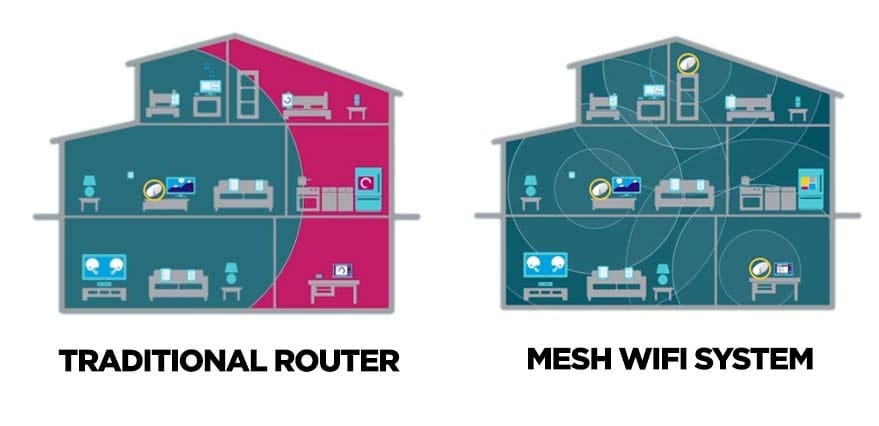
Selecting the correct hardware architecture is the first step toward a stable network. Your home size and existing equipment dictate whether you need a single powerful unit or a distributed system.
Why Standalone Routers Outperform Combo Units
A standalone router connects to your existing modem to handle all Wi-Fi duties independently. This separation allows the device to dedicate all processing power to routing traffic rather than splitting resources with a modem. You gain access to regular firmware updates directly from the manufacturer instead of waiting on your ISP. These units typically offer stronger antennas and better customization options for your specific environment.
Pro Tip: If you already own a modem, buying a standalone router provides significantly more power and flexibility than an all-in-one unit.
When to Avoid Modem-Router Combos
Modem-router combos combine two functions into one chassis, which often leads to shared internal resources and slower performance. These units frequently suffer from overheating and limited settings because manufacturers cut costs on components. You also become dependent on your ISP for security patches, which often arrive late or never. Upgrading requires replacing both the modem and router even if only one part is outdated.
Deploy Mesh Systems for Large or Complex Homes
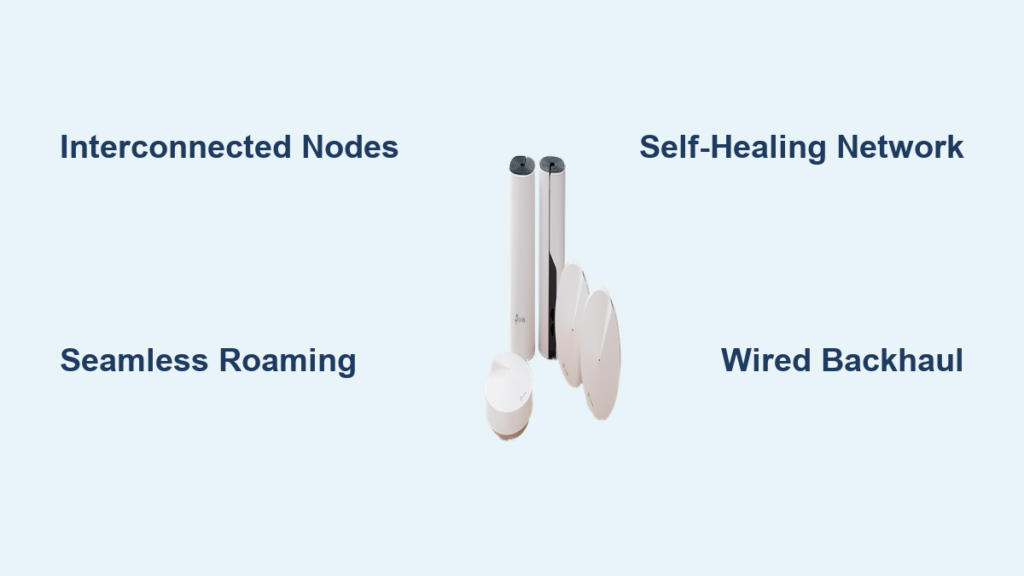
Mesh systems use multiple nodes placed around your property to create a single seamless network. This setup is essential for homes exceeding 3,000 square feet or those with multiple floors and thick walls. Unlike simple extenders, mesh nodes communicate intelligently to ensure smooth roaming and consistent speeds throughout the house. However, for average-sized apartments, a mesh system is often overkill and an unnecessary expense.
Match Wi-Fi 6 or 6E Standards to Your Needs

The Wi-Fi standard determines your maximum speed, latency, and ability to handle multiple devices simultaneously. Choosing the right protocol ensures your network remains relevant as you add more smart devices.
Make Wi-Fi 6 Your Minimum Standard
Wi-Fi 6 (802.11ax) is the optimal choice for nearly every user today due to its efficiency and speed improvements. It delivers faster data throughput and significantly lower latency compared to the older Wi-Fi 5 standard. The technology uses OFDMA to manage congestion better, allowing multiple devices to receive data simultaneously without waiting in line. It also includes Target Wake Time to improve battery life for your phones and IoT gadgets.
Reserve Wi-Fi 6E for High-End Scenarios
Wi-Fi 6E extends capabilities into the new 6 GHz band, offering wider channels with zero interference from legacy devices. This standard is ideal for competitive gamers or homes with saturated 2.4 GHz and 5 GHz bands. However, only newer phones and laptops support this frequency, meaning many of your current devices cannot utilize the extra speed. Unless you have specific high-end needs, a standard Wi-Fi 6 router offers the best value.
Dual-Band vs Tri-Band Configuration Differences
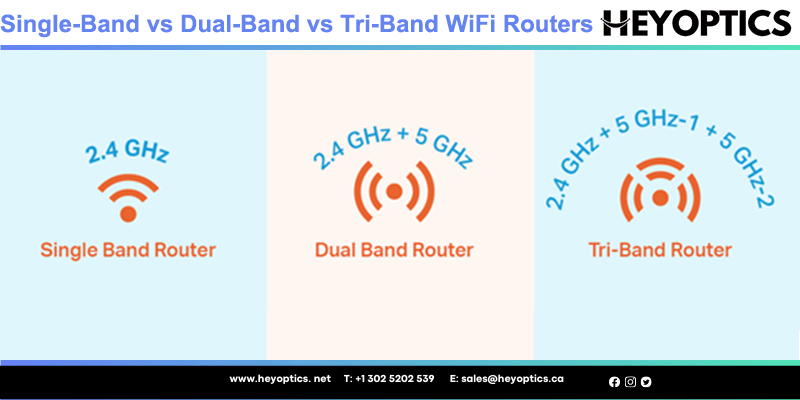
Understanding frequency bands helps you allocate bandwidth effectively between smart home gadgets and high-speed streaming devices.
Dual-Band Sufficiency for Most Households
Modern dual-band routers broadcast on both 2.4 GHz and 5 GHz frequencies to balance range and speed. The 2.4 GHz band offers longer range and better wall penetration but suffers from interference and slower speeds. The 5 GHz band provides much faster data rates with less congestion but has a shorter range. Most households with under 15 devices will find a dual-band Wi-Fi 6 router perfectly adequate for daily tasks.
Tri-Band Advantages for Heavy Usage
Tri-band routers add a second dedicated 5 GHz band to the standard setup, creating three distinct networks. This extra band prevents bottlenecks when multiple users stream 4K content or game simultaneously on different devices. It is specifically designed for families with over 20 connected devices or heavy bandwidth demands. Note that tri-band improves capacity and speed but does not inherently increase wireless range.
Prevent Speed Bottlenecks with Proper Matching
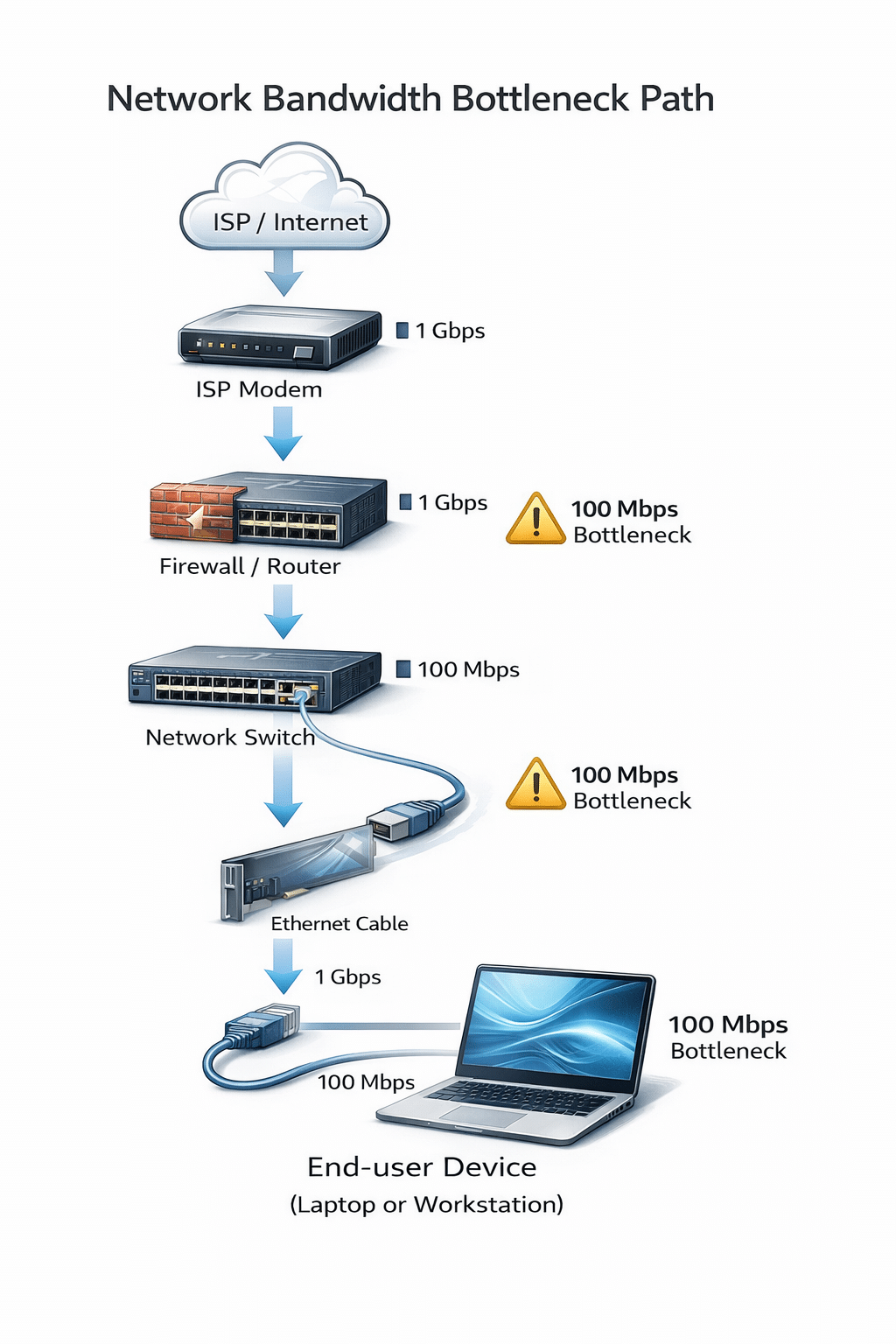
Your router must be capable of handling speeds higher than your internet plan to avoid becoming the weak link in your connection.
Align Router Throughput with ISP Speed
The golden rule is that your router throughput must exceed your subscribed internet speed. If you pay for 300 Mbps but your router caps at 200 Mbps, you will never see the full speed you purchased. Check that the WAN and LAN ports are Gigabit (1 Gbps) for any plan over 100 Mbps. For fiber plans exceeding 1 Gbps, you will need a router with multi-gig ports rated at 2.5 Gbps or higher.
Avoid Paying for Unrealistic Speed Claims
Marketing numbers like “5400 Mbps” represent theoretical totals across all bands under perfect lab conditions. In the real world, a single device on 5 GHz Wi-Fi 6 might reach 600 to 800 Mbps maximum. Spending hundreds extra on a flagship model for a 200 Mbps internet plan yields no noticeable benefit. Focus on real-world performance metrics rather than inflated marketing sums.
Budget Smart for Maximum Router Value
Router prices vary wildly, but the sweet spot for performance and price lies in the mid-range market segment.
Target the $100 to $150 Sweet Spot
Routers in the $100 to $150 range offer the best value by including full Wi-Fi 6 support and strong processors. These models typically feature user-friendly apps, guest networks, and Quality of Service controls without the enterprise price tag. Brands like TP-Link, ASUS, and Netgear offer excellent options in this bracket that cover most homes effectively.
Skip Expensive Models Unless Necessary
Units costing over $300 often include features like 10 Gbps ports or extreme antenna counts that average users do not need. Unless you run a home server, edit 8K video locally, or compete professionally in esports, you will experience diminishing returns. Save your money and invest in a mesh node later if you encounter coverage issues instead of buying an overpowered single unit.
Essential Security and Management Features
Beyond raw speed, specific features determine how secure and manageable your network remains over time.
Prioritize WPA3 Encryption Standards
Always select a router that supports WPA3 encryption to protect against brute-force attacks and unauthorized access. This latest security standard is far superior to the older WPA2 protocols found on budget devices. Ensure the device allows you to change default admin passwords immediately and offers automatic firmware updates to patch vulnerabilities.
Utilize Apps and Quality of Service Controls
A dedicated mobile app allows you to monitor connected devices and run speed tests from anywhere in your home. Look for Quality of Service (QoS) features that let you prioritize traffic for video calls or gaming over background downloads. These tools are essential for maintaining stability in households with multiple simultaneous users.
Optimize Placement for Your Home Layout
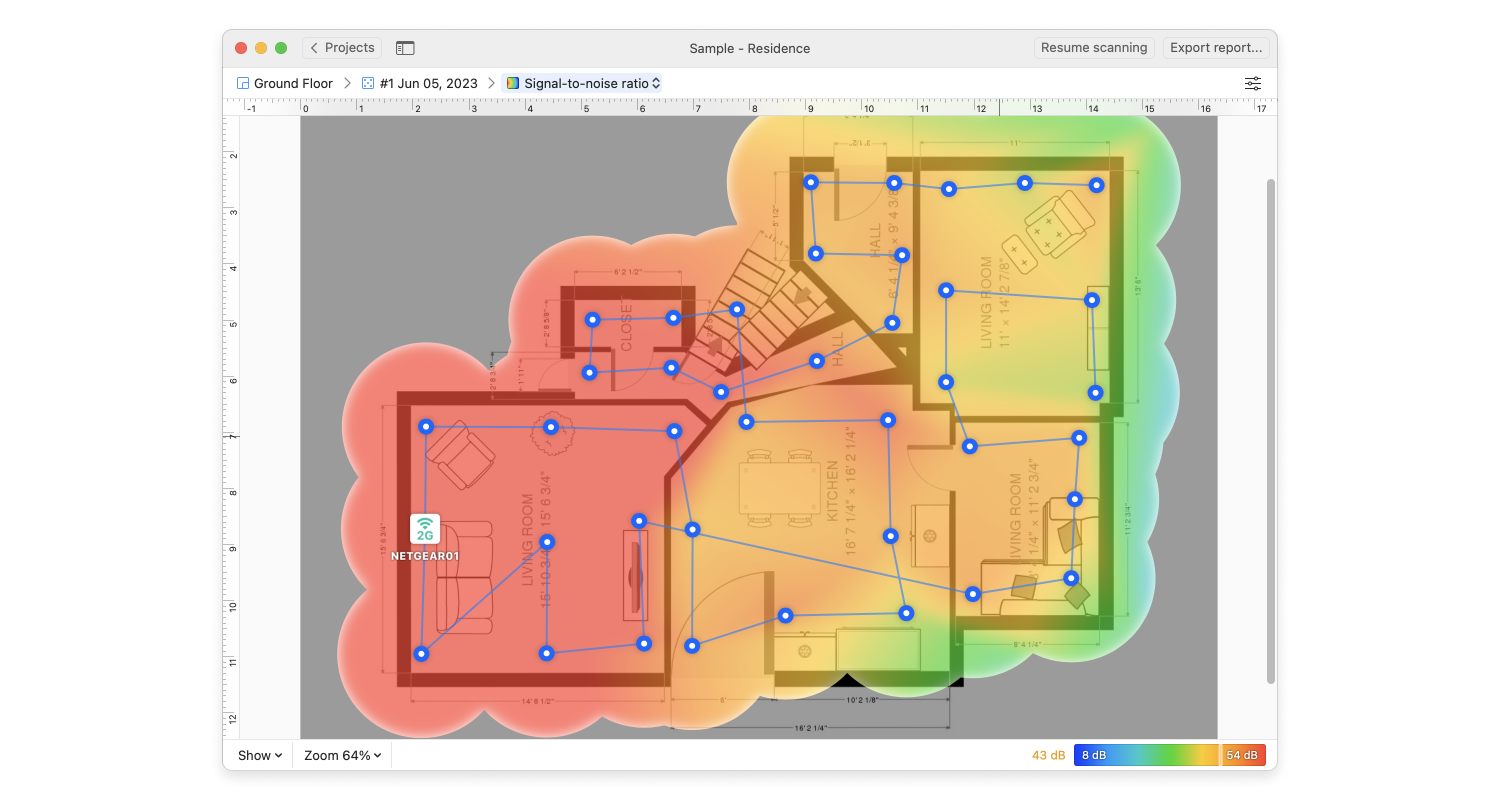
Physical placement and home structure play a massive role in the actual performance you experience daily.
Size and Structure Dictate Hardware Choice
Use your home size as the primary filter for hardware selection. Apartments under 1,500 square feet usually need only a dual-band standalone router. Homes between 1,500 and 2,500 square feet benefit from a strong tri-band unit or a basic two-node mesh system. Anything larger or with concrete walls likely requires a full mesh system to eliminate dead zones.
Position Your Router for Best Signal
Place your router in a central location elevated on a shelf rather than on the floor or in a corner. Keep the device away from metal objects, microwaves, and thick walls that block signal propagation. Ensure external antennas are vertical to maximize omnidirectional coverage throughout your living space.
Pick Reliable Brands and Support Ecosystems
Choosing a reputable manufacturer ensures you receive critical security updates and reliable customer support when issues arise.
Stick to Trusted Router Brands
Reputable brands like ASUS, Netgear, TP-Link, Eero, and Google Nest have proven track records for hardware reliability. These companies provide consistent firmware updates and intuitive software interfaces for network management. Avoid no-name brands that may lack long-term support or have known security flaws in their code.
Verify Firmware Update History
Check if the manufacturer has a history of supporting devices for at least three years with regular patches. A router without updates becomes a security risk as new vulnerabilities are discovered over time. Brands that offer automatic background updates are ideal for users who want a set-it-and-forget-it solution.
Finalize Your Router Decision Framework
Follow a logical process to ensure you select the perfect device for your specific situation without confusion.
Follow This Step-by-Step Selection Process
- Measure your home size to decide between standalone or mesh.
- Check your internet plan speed to determine port requirements.
- Select Wi-Fi 6 as your mandatory standard for future-proofing.
- Choose dual-band for most homes or tri-band for heavy usage.
- Set a budget of $100 to $150 for the best value.
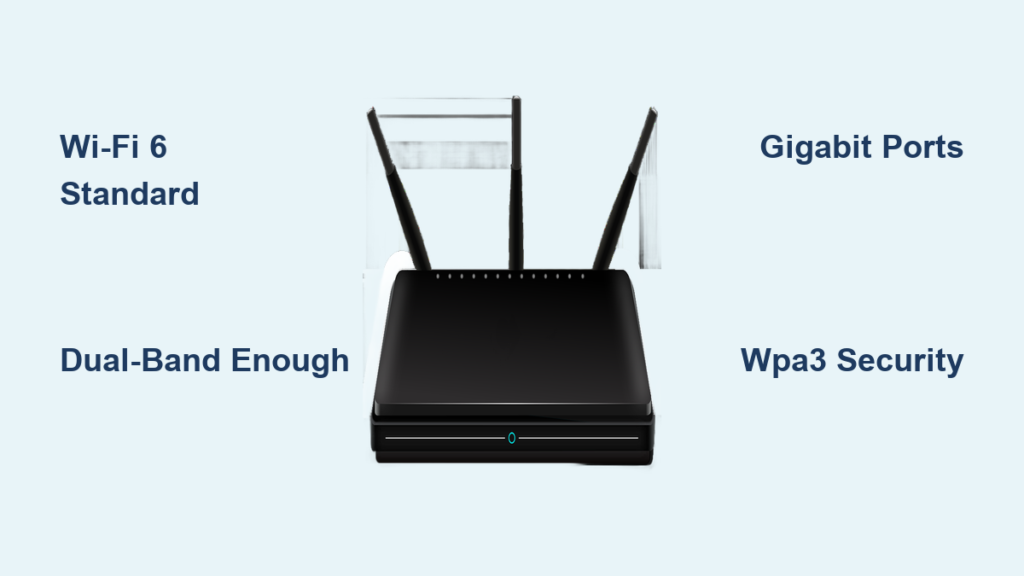
- Verify the presence of WPA3 security and Gigabit ports.
Real-World Example for a Typical Home
Consider a 2,000 square foot house with a 300 Mbps plan and 15 devices. The ideal choice is a standalone Wi-Fi 6 dual-band router costing under $150. This setup provides ample speed headroom and coverage without the complexity or cost of a mesh system. Models like the TP-Link Archer series often fit this criteria perfectly for reliable performance.
Frequently Asked Questions About Choosing a Router
How often should I replace my home router?
You should generally replace your router every three to five years to maintain security and performance standards. Technology advances quickly, and older devices may stop receiving critical firmware updates or struggle with modern device counts.
Can I use my own router with any internet provider?
Most ISPs allow you to use your own standalone router by connecting it to their modem. However, if you have a modem-router combo provided by your ISP, you may need to request a modem-only unit or put their device into bridge mode.
Does a more expensive router increase my internet speed?
A expensive router cannot make your internet faster than the speed you pay your ISP for. It can only ensure you get the full speed you pay for by preventing bottlenecks and managing traffic more efficiently.
What is the difference between Wi-Fi 6 and Wi-Fi 6E?
Wi-Fi 6 operates on 2.4 GHz and 5 GHz bands, while Wi-Fi 6E adds access to the new 6 GHz band. The 6 GHz band offers less interference but requires compatible devices that are not yet ubiquitous in every home.
Do I need a mesh system for a two-story house?
You only need a mesh system if a single powerful router fails to cover both floors adequately. Many two-story homes under 2,500 square feet work perfectly with a well-placed standalone router on the main floor.
Key Takeaways for How to Choose a Router
Selecting the right hardware comes down to matching your specific home size and internet plan to the correct technology. Prioritize Wi-Fi 6 standards and avoid overspending on features like Wi-Fi 6E or tri-band setups unless your device count demands it. Always ensure your router throughput exceeds your ISP speed to prevent frustrating bottlenecks.
Start by measuring your space and checking your current internet speed before browsing models. Stick to the $100 to $150 price range for the best balance of performance and value. By following this guide, you can build a robust network that handles all your streaming and work needs effortlessly.