Canceling Xfinity service feels like a finish line, but the real race starts after. The moment your account closes, a 10- to 30-day countdown begins to return your modem and gear. Miss that window, and unreturned device charges hit your bill automatically. Penalties can climb to $480 for premium equipment, with $150 for a standard gateway. Even non-payment disconnections trigger fees the very next day. The good news: every fee is reversible once your equipment is scanned back into Xfinity’s system. This guide shows you exactly how to return your Comcast modem fast, keep proof, and walk away with zero penalties.
Identify What Xfinity Equipment You Actually Owe
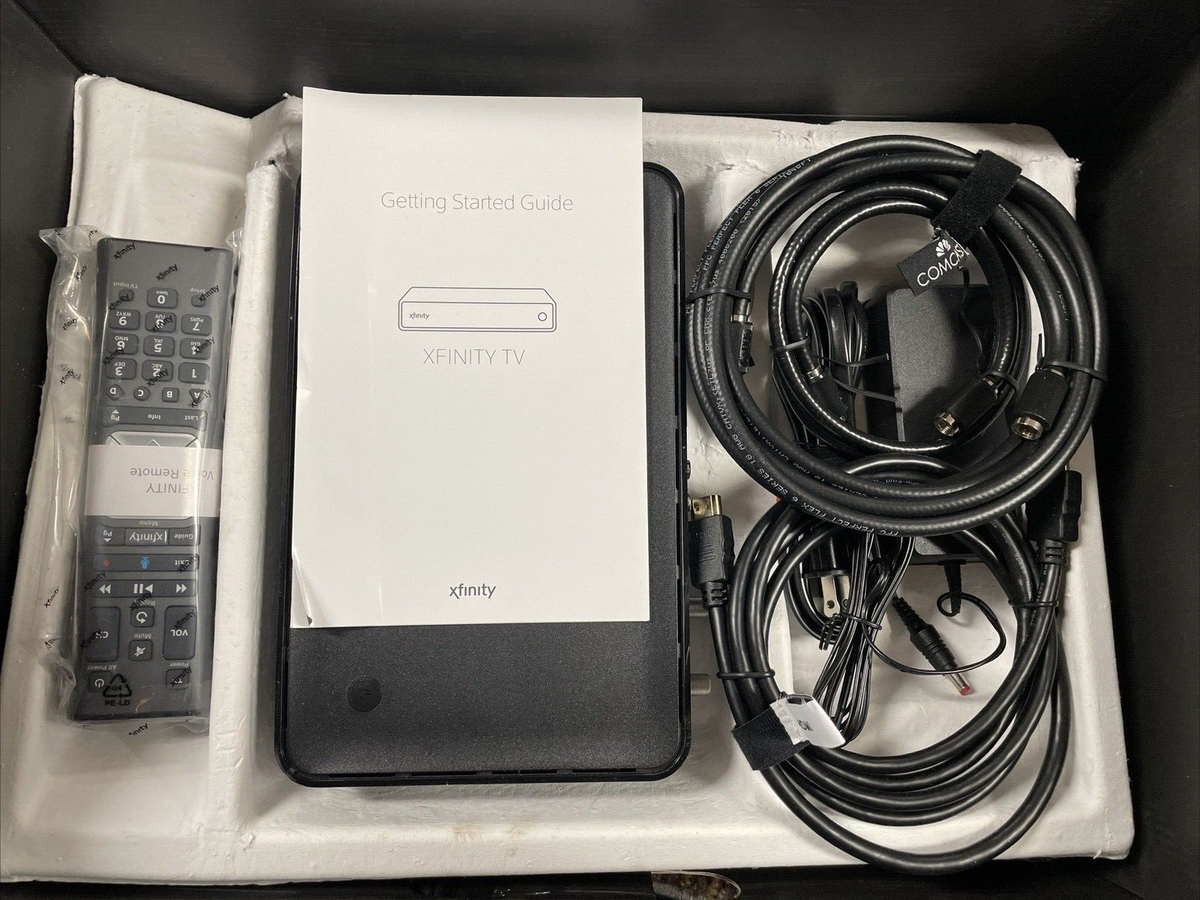
Confirm What Must Be Returned
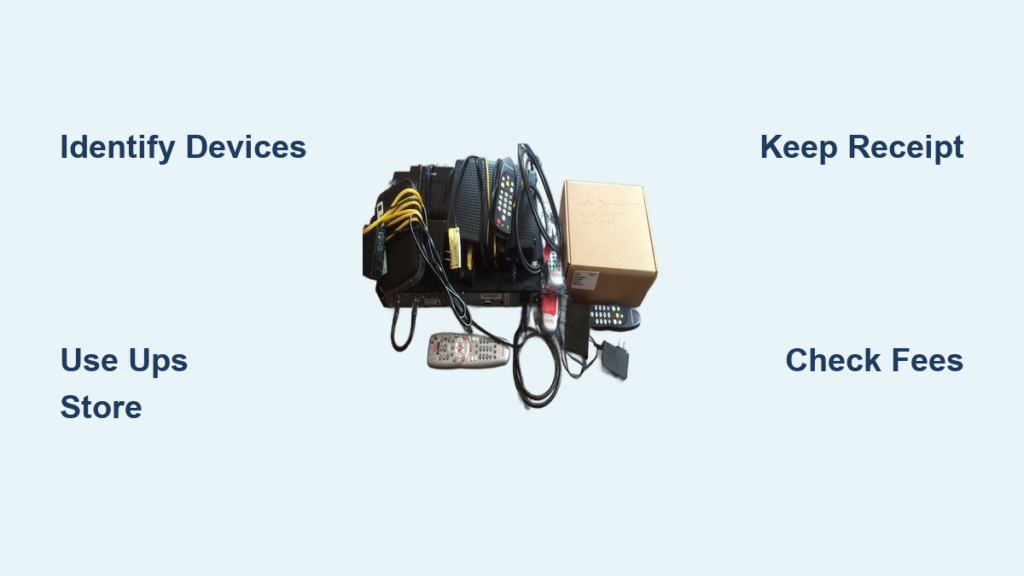
Xfinity only requires three items per device:
– The main device (modem, gateway, or TV box)
– The power cord
– The remote control (if a TV box)
You do not need to return HDMI cables, Ethernet cables, or coaxial cables. Leave stapled coax wiring in the wall. This matters because people often toss boxes trying to “return everything,” which creates confusion.
Check Devices Registered to Your Account
Log in to the Xfinity Digital Return Center at xfinity.com/returns to view serial numbers and devices tied to your account. The “Identify Device” tool sends a signal to your TV box, flashing a message on screen so you know exactly which unit belongs to Xfinity. Skip this step if you own your modem outright.
Handle Unlisted Devices and Wrongful Claims
If your modem does not appear in the portal, you cannot print a return label. Take the device directly to a UPS Store or Xfinity retail location. Staff will manually scan the serial number on the bottom of the unit and update the system.
Some users report Xfinity claiming ownership of modems they bought themselves. If this happens, gather purchase receipts and call 1-800-COMCAST (1-800-934-8328) to request removal.
Pro Tip: Keep receipts for any equipment you purchase. Even years later, they can save you hundreds in disputed fees.
Know the Unreturned Equipment Fee Schedule
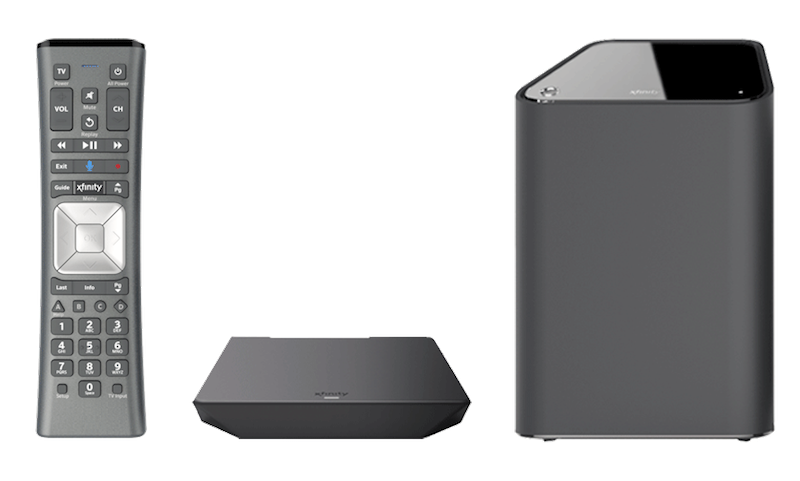
Penalty Amounts by Device
| Equipment | Unreturned Fee |
|---|---|
| X1 Gateway (standard modem) | $150 |
| X1 Cloud DVR | $200 |
| Standard TV Box | $120 |
| HDTV Adapter | $50 |
| Premium eight-line modem + battery | Up to $480 |
These charges apply automatically, not as warnings. They wipe out any savings from switching providers.
When Fees Hit Your Account
- Standard cancellation: Fees post if gear is not scanned within 10–30 days
- Non-payment disconnection: Fees apply the very next day
- Fee reversal: Once Xfinity scans your device, the system automatically refunds the charge, even if you missed the deadline
The system reverses fees every time once a scan is logged. No phone calls needed.
Pick the Best Return Method for Your Situation
Drop Off at a UPS Store (Recommended)
This is the fastest path to proof. Walk in with your modem and power cord. Tell the associate, “This is an Xfinity return.” They scan the serial number, pack the device, and ship it for free. You leave with a physical tracking receipt in hand.
Why this option wins:
– Immediate scan = instant credit on your account
– No packaging, printing, or labels needed
– You walk away with legal proof
Warning: Not all UPS Stores participate. Confirm authorization at xfinity.com/returns before heading out.
Visit an Xfinity Retail Store
Retail locations offer on-the-spot scanning and receipts. Staff can also resolve account issues face-to-face. The downside is wait times vary. Call ahead to check availability.
Schedule a UPS Home Pickup
Use this only if leaving home is not an option. Print a prepaid UPS label from the Digital Return Center, pack the gear, and call 1-800-PICKUPS to schedule pickup. Shipping is free, though UPS may charge a small pickup fee.
Important: No receipt is issued at the door. You only get tracking online. This lack of instant proof makes home pickup risky for disputed returns.
Handle xFi Pods and Storm-Ready Backup Terminals
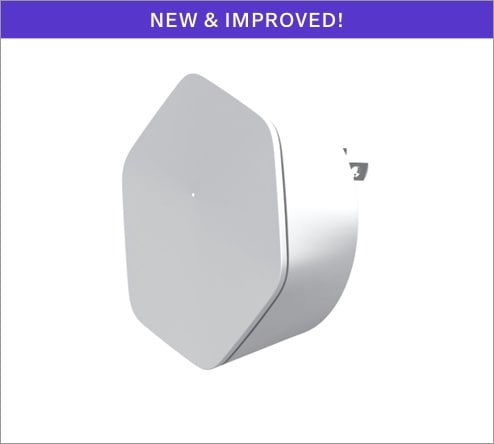
Xfinity Wi-Fi Extenders (xFi Pods) and Storm-Ready Backup Terminals cannot be returned at UPS Stores. Use the online return portal instead. Xfinity emails a custom FedEx label and packing instructions. Follow them exactly. Deviating causes delays and false fee triggers.
Keep Proof of Return for at Least One Year
Why the Receipt Matters
The single most important step after dropping off your modem is keeping the receipt. Xfinity’s system can take weeks to update. Warehouse scans get delayed. Serial numbers get misread. Accounts get flagged months later.
Without proof, you lose every argument.
How to Store Your Receipt Safely
Do this immediately after your return:
– Snap a photo of the receipt
– Email the photo to yourself
– Save it in Google Drive, iCloud, or a password manager
Keep it for at least one year. Some users report fee reversals happening months after a successful return.
Troubleshoot Common Return Problems
Lost the Remote Control?
Do not panic. Xfinity only cares about the device and cord. A missing remote will not trigger a fee. Return the core hardware and move on.
Missed the 30-Day Window?
Return the equipment immediately. Even if a fee already posted and it has been 60 or 90 days, the moment Xfinity scans your gear, the system automatically reverses the charge. This works every time without a support call.
Cannot Print a Return Label?
If your device is not listed in the Digital Return Center, go straight to a UPS Store or Xfinity store. Staff perform a manual scan using the serial number on the bottom of the unit. Once logged, your account accepts the return.
Follow the Pre-Return Checklist
Before you leave the house:
– Search closets, basements, and storage for old Xfinity gear
– Log in to xfinity.com/returns and verify registered devices
– Confirm your local UPS Store accepts Xfinity returns
– Pack only the required items (device, power cord, remote)
– Bring everything to a participating drop-off location
Step-by-Step Return Summary
- Identify all Xfinity-owned devices
- Prepare each with device, power cord, and remote
- Choose UPS Store drop-off for instant proof
- Get your physical receipt
- Save the receipt for one year
- Act within the 10–30 day window
Avoid These Costly Mistakes
- Assuming “no return needed” because service ended quietly
- Leaving gear at home “just in case” you resubscribe
- Using home pickup without saving tracking proof
- Throwing equipment in the trash (guarantees a $150+ fee)
- Ignoring xFi Pods (they need special FedEx labels)
Even with a perfect return, accounts sometimes get flagged. Always get a receipt. Always save it. Always verify your account is clear within 4–6 weeks. If a fee sticks, call 1-800-COMCAST with your receipt. Resolution is fast with proof.
Get Help When You Hit a Wall
Contact Xfinity Support
Call 1-800-934-8328 anytime for 24/7 assistance. You can also visit comcastbusiness.com/support to submit a ticket or access self-help guides. Live chat is available during business hours.
Have these ready:
– Account number
– Service address
– Equipment serial numbers
– Return receipt (if available)
Support can remove falsely listed devices, expedite fee reversals, and email replacement return labels.
Frequently Asked Questions About Returning Comcast Modems
What Happens If I Never Return My Comcast Modem?
Xfinity charges an unreturned equipment fee starting at $150 for a standard gateway. Premium setups with an eight-line modem and backup battery can trigger charges up to $480. These fees post automatically if the device is not scanned back into the system within 10–30 days of cancellation.
Can I Return My Comcast Modem to Any UPS Store?
No. Not every UPS Store accepts Xfinity returns. Confirm participation at xfinity.com/returns or call your local store before making the trip. Authorized locations scan the serial number on the spot and give you a tracking receipt.
Do I Need to Return Cables With My Comcast Modem?
No. Xfinity only requires the main device, its power cord, and the remote (for TV boxes). HDMI, Ethernet, and coaxial cables do not need to be returned. Leave coax wiring stapled to your walls.
What If I Returned My Modem but Still Got Charged a Fee?
System glitches happen. Once Xfinity scans your device at a warehouse, the fee reverses automatically. If the charge stays on your bill, call 1-800-COMCAST with your tracking receipt. The scan log confirms the return and triggers a refund.
Can I Return xFi Pods at UPS?
No. Xfinity Wi-Fi Extenders (xFi Pods) and Storm-Ready Backup Terminals require a custom FedEx label from the online return portal. UPS Stores cannot process these devices. Follow the emailed instructions exactly to avoid delays.
How Long Should I Keep My Return Receipt?
Keep your physical tracking receipt for at least one year. Xfinity’s system can take weeks or months to update, and accounts sometimes get flagged incorrectly long after the return. A photo stored in cloud storage or a password manager protects you if the paper receipt is lost.
Key Takeaways for a Fee-Free Comcast Modem Return
Returning your Xfinity modem comes down to three actions: identify your equipment fast, drop it off at a participating UPS Store for instant proof, and save the receipt for one year. The moment Xfinity scans your device, any unreturned fee reverses automatically, no matter how late you are.
Your next step: log in to xfinity.com/returns right now. Verify what you owe, locate a participating UPS Store, and schedule your drop-off today. The longer you wait, the higher your risk of a surprise charge on your next bill.